
Position Panel
The position panel on the right represents the position of the selected frame relative to the parent frame.
Types of Position
The Type of the position panel includes the following four options.
Absolute
Relative
Fixed
Sticky
Absolute
Can be freely placed within the parent frame. The default is Absolute when the parent element is not Stack or Grid. It is ideal for when you want to overlap elements since it is not affected by the flow of other elements (normal layout).
Relative
This is the basic setting for layout. It is built like stacking blocks from top to bottom within the parent frame. It is the default value for child elements when set to Stack or Grid. The position is determined by the flow of content.
Fixed
It remains fixed at the same position within the viewport (window). It is always displayed in that position even when scrolling. Its uses vary from navigation at the top of the screen, back to top buttons, contact buttons and more.
Sticky
Typically behaves the same as Relative positioning, but has the feature of "becoming fixed at the specified scroll position" when an element enters the viewport during scrolling. It is fixed only within the range of the parent element and follows scrolling again when exceeding the parent element. You can specify it in pixels relative to the top, bottom, left, and right of the parent element.
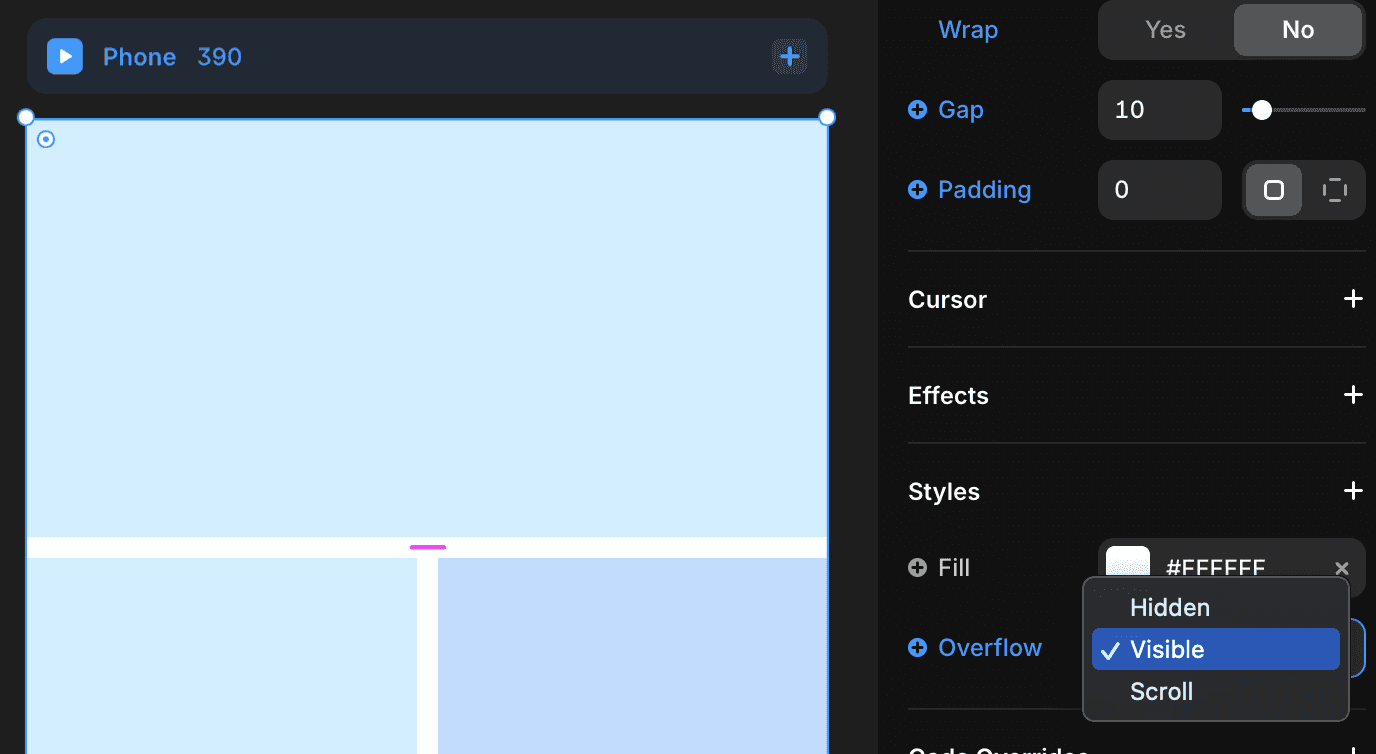
※Be careful as Sticky will not function if the overflow setting of the parent frame is not set to Visible.
When set to Sticky, a display like this ↓ will appear.

Please set the Styles Overflow of the parent frame to "Visible."
(This setting is necessary for all parent frames enclosing the frame that you want to be Sticky.)
←