

Dynamic Components of Framer
Framer provides three dynamic components that can make your website more dynamic: Ticker, Carousel, and Slideshow. In this article, we will introduce the features and applications of each of these components.
Basic Creation Method
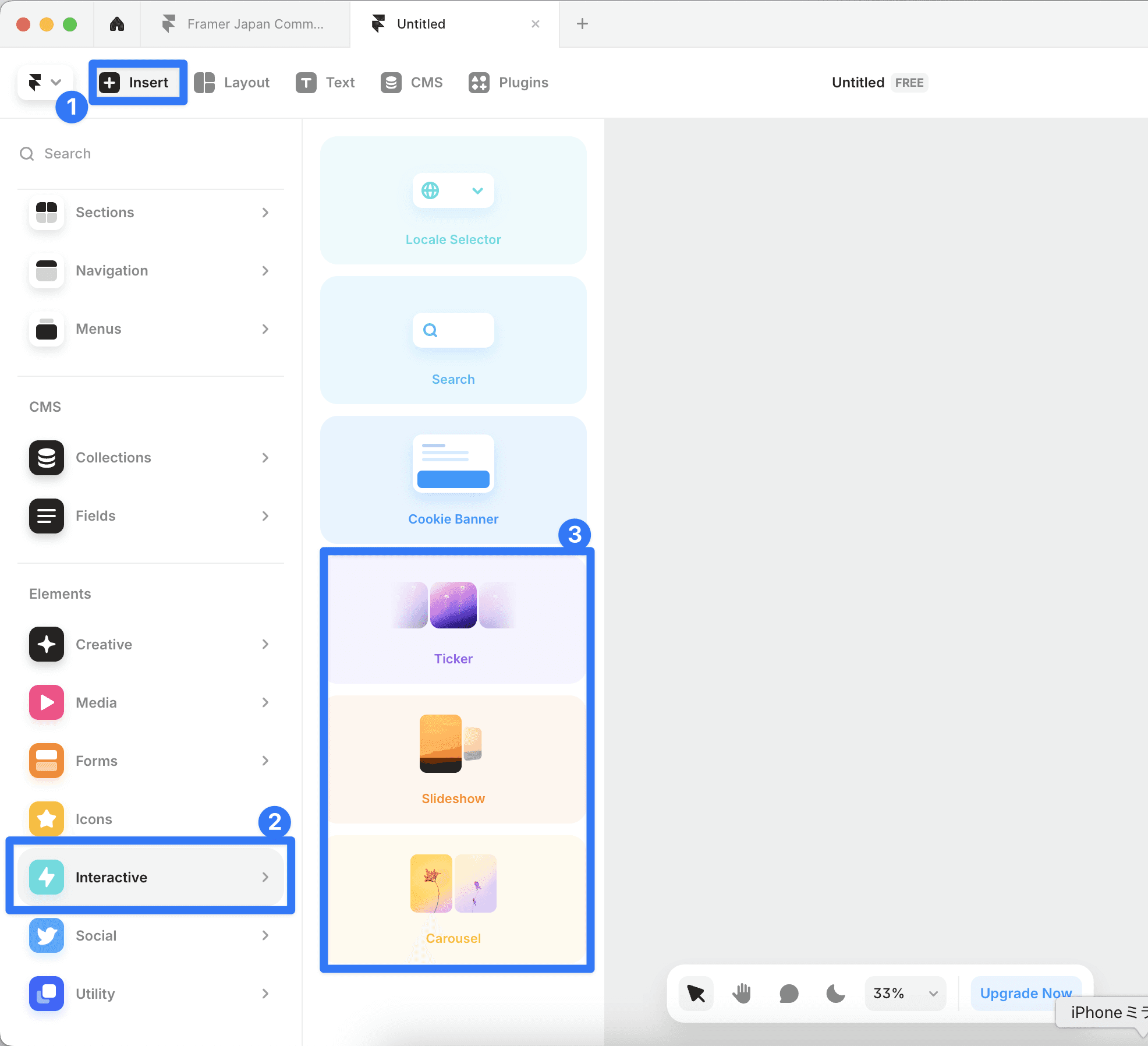
You can easily add them from the Insert > Interactive menu.
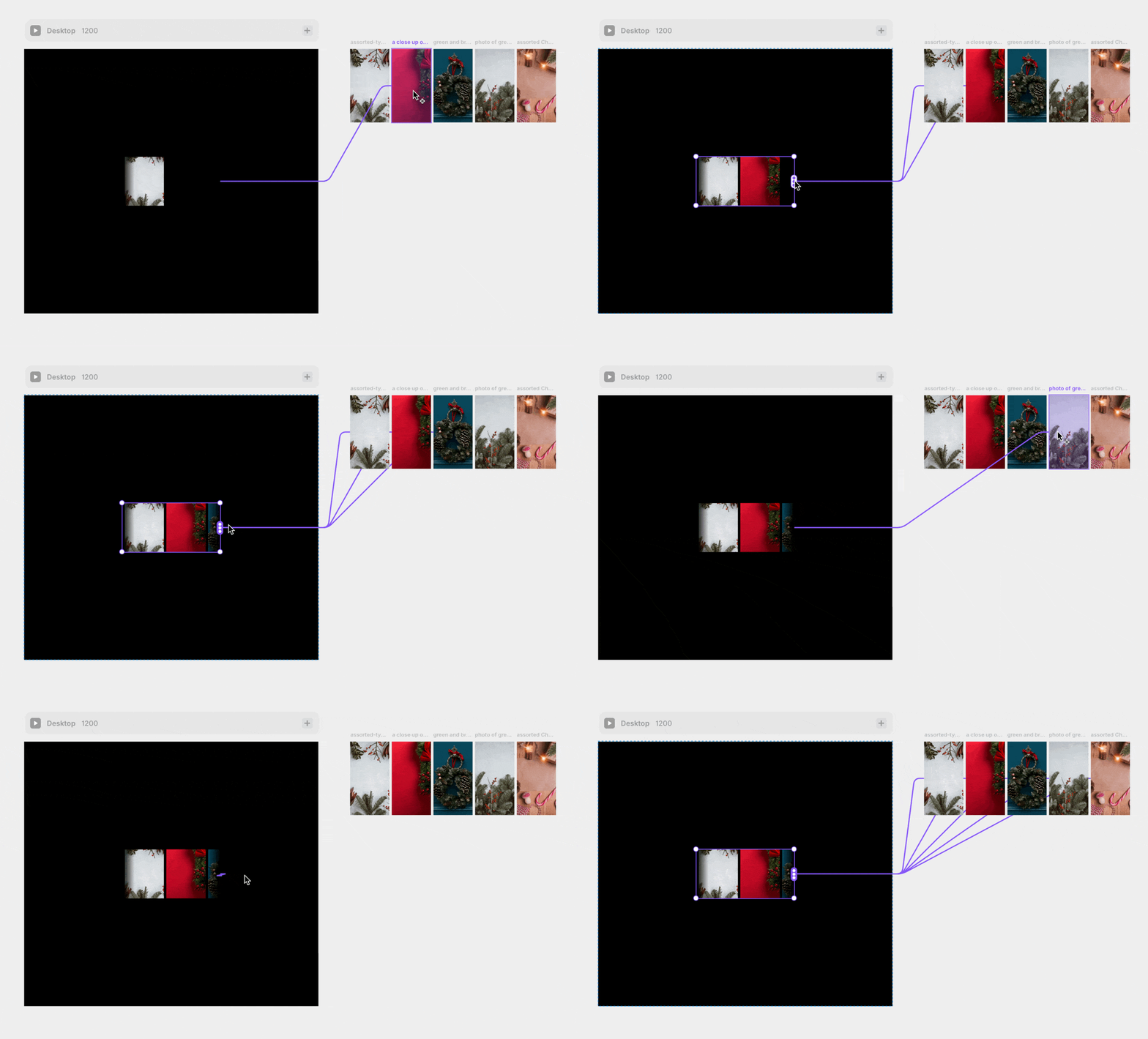
To set the content, simply drag from the connector on the right side of the component to the parts. This method of operation is common to all three components.
Ticker
This component allows you to easily create endless loop animations.
Main Features:
Supports both horizontal and vertical directions
Equipped with automatic content duplication feature
Fade effect at the edges

Customizable Elements:
Speed adjustment on hover (default is 0.5x)
Adjustment of the edge fade effect
Automatic mask function that works regardless of background color
Ability to change the order of content
Examples of usage include displaying a list of company logos, showcasing user reviews, and photo galleries. By flowing multiple tickers in different directions, a more dynamic expression is also possible.
Carousel
A carousel with scrolling features that can be operated comfortably even on smartphones.
Main Features:
Create a scrollable area
Supports horizontal and vertical scrolling
Scroll snapping feature
Customizable arrow controls

Customizable Elements:
Change background color of arrows
Upload custom arrow images
Show/hide the scrollbar
Adjust the fade effect at the edges
Slideshow
A full-featured slideshow function that can automatically switch content.
Main Features:
Automatic playback and infinite loop
Simultaneous display of multiple items
Customizable navigation
Drag operation support (from version 2.0)

Customizable Elements:
Display Options
Overflow display
Adjusting the transparency of inactive items
Scale and rotation effects
Cover flow-style display
Control Elements
Position and style of arrows
Dot navigation
Custom offset settings
Position adjustment using negative values
Transition Settings
Spring animation
Speed-based operation during drag
Seamless switching effect
How to Choose Components
When Ticker is Suitable
Need for continuous display without interruptions
Does not require snapping
Emphasis on decorative motion
When Carousel is Suitable
Emphasis on mobile compatibility
Display multiple items on one screen
Importance of scroll snapping
When Slideshow is Suitable
Want to use the autoplay feature
Seeking sophisticated visual effects
Emphasis on interactive operation
←