

Set Repeating Patterns with Tiles
The Pattern Tile feature allows you to arrange images as repeating patterns.
Set the Fill to the image
Set the Type to Tile
Choose from 8 predefined images like noise and borders from Preset

8 Preset Patterns and Customization
Framer provides the following 8 basic patterns:
Noise: An irregular pattern that creates a natural texture
Checker: A classic checkerboard pattern
Grid: Neatly organized grid lines
Lines: A simple linear pattern
Rhombus: A dynamic geometric pattern
Wave: An organic wave pattern
Polka: A classical polka dot pattern
Diagonal: A diagonal stripe pattern
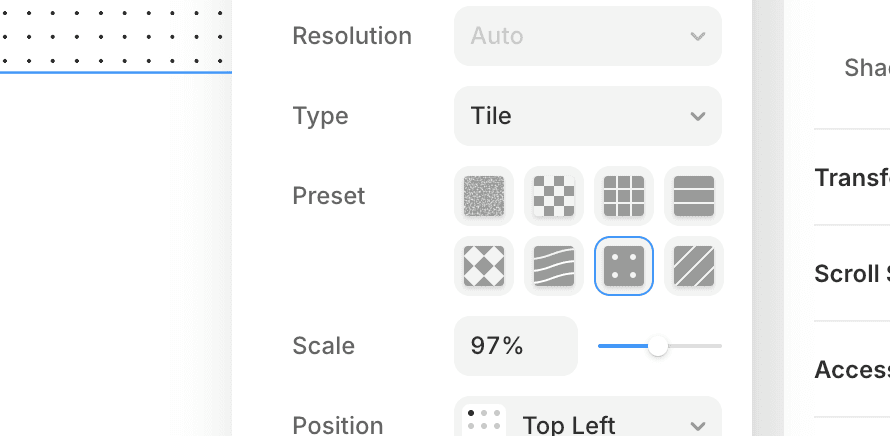
Scale Adjustment:
You can freely adjust the size of the pattern using the Scale property
By default, it adjusts automatically to fit the image size
Smaller numbers make the pattern finer, and larger numbers make it bigger
Filters and Blending:
To further customize the appearance of the pattern:
Use Filters to adjust the tone and brightness
Change the way it combines with the base image using Blending
Adjust the opacity for subtle expressions
More Variety with Plugins
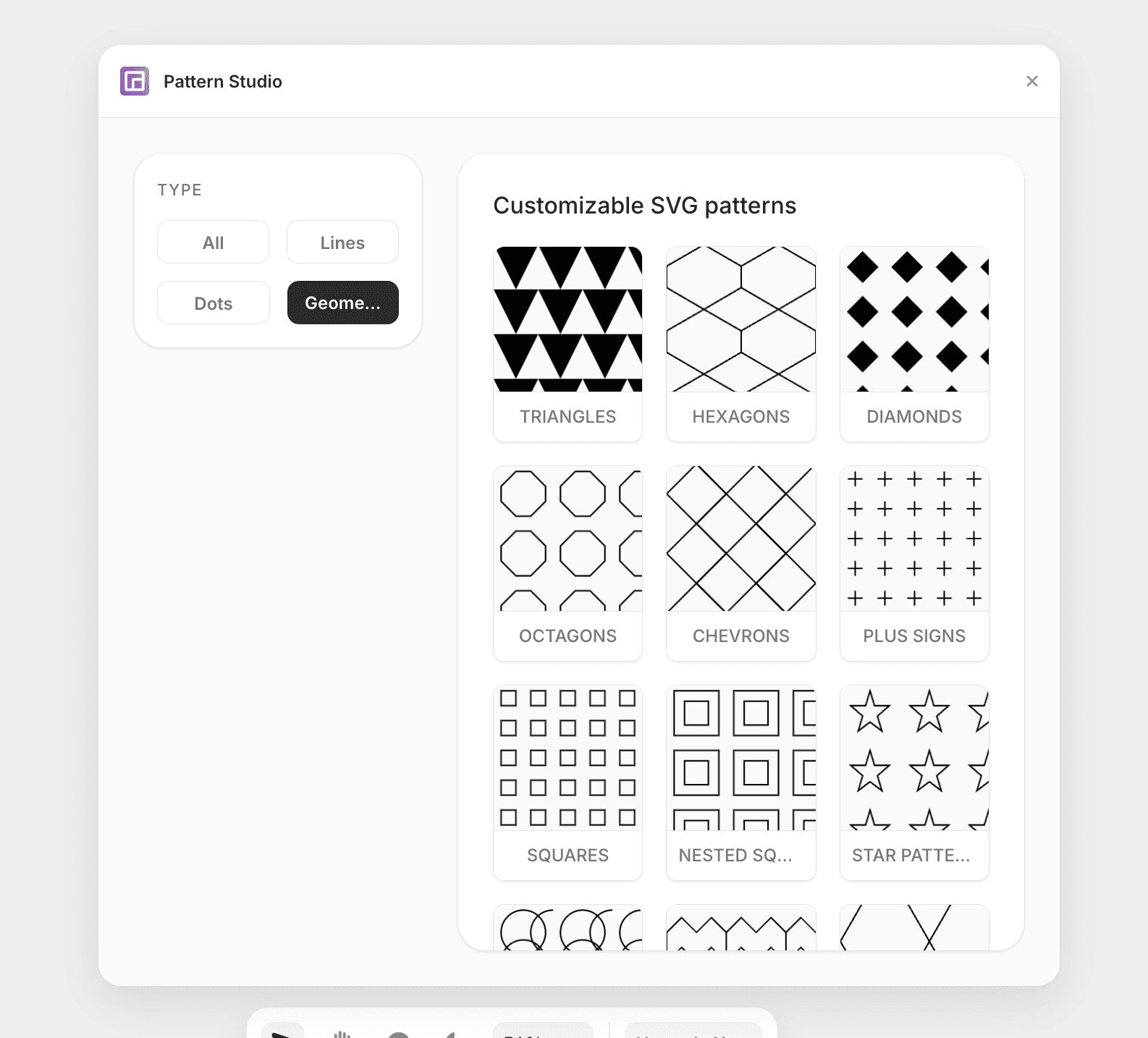
With the Pattern Studio plugin, you can select from a richer variety of pattern images and customize attributes like background color, pattern color, and opacity before applying them.
https://www.framer.com/marketplace/plugins/pattern-studio/
←