
Variables to Use Components More Flexibly
The feature for using Framer components more flexibly is "Variables." This allows you to individually change elements such as text, colors, and sizes when using the component in multiple places.
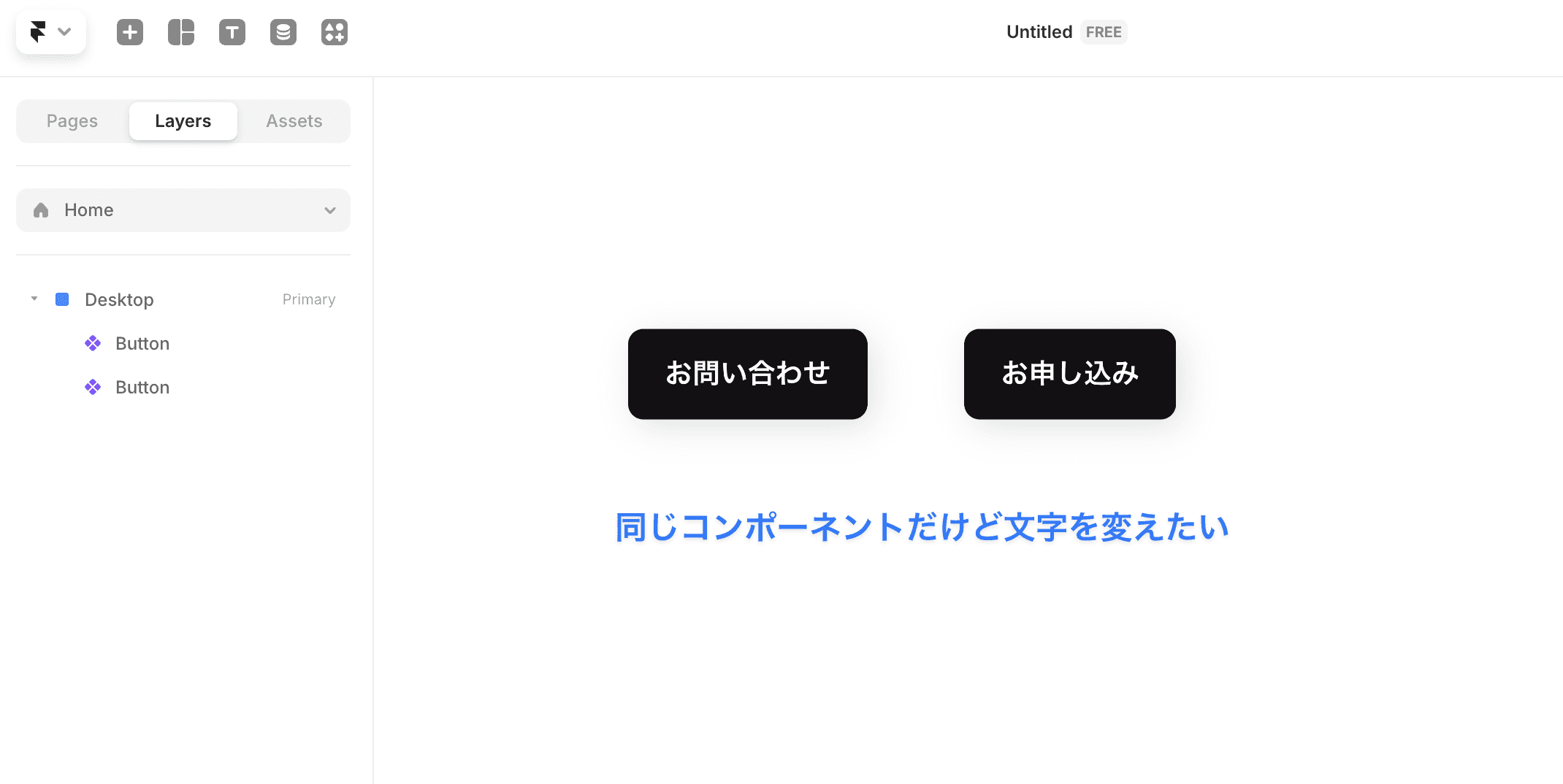
For example, if you create a component for a "Contact Us" button and want to use it as an "Application" button on another page, you can change only the text by using Variables. In this way, different settings can be made for each duplicate created from a single component (referred to as an "instance").
Basic Usage of Variables
Example of Making Text a Variable
The most common use is to turn the text within the component into a variable.
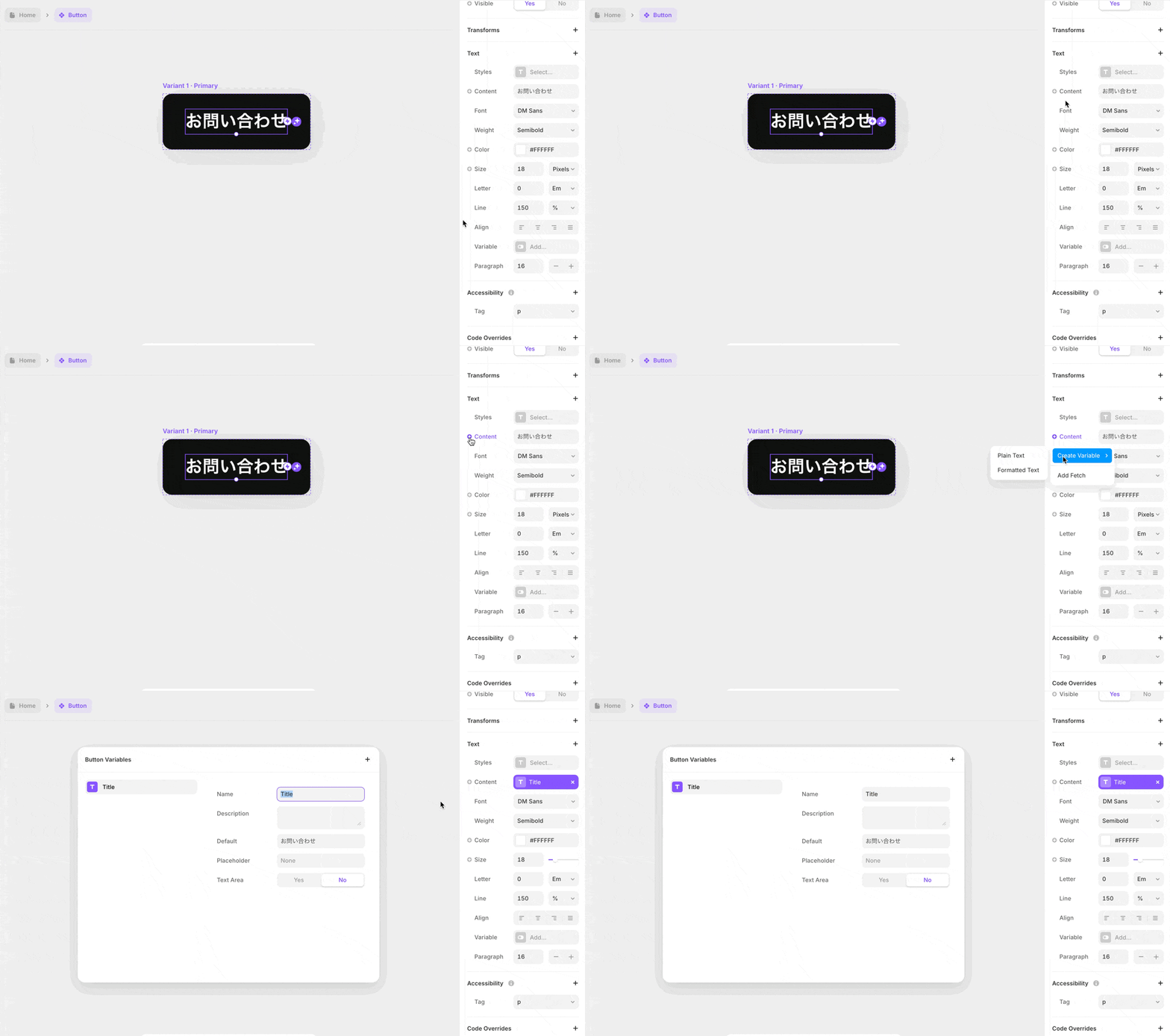
Double-click the component to enter the component-specific editing screen
Select the text element within the component
Click the " + " icon next to "content" in the right panel
Select "Create Variable"
Select the type of variable (for regular text, choose "Plain Text")
Name the variable (e.g., "Title")
Now, you will be able to set different texts for each instance of the component.
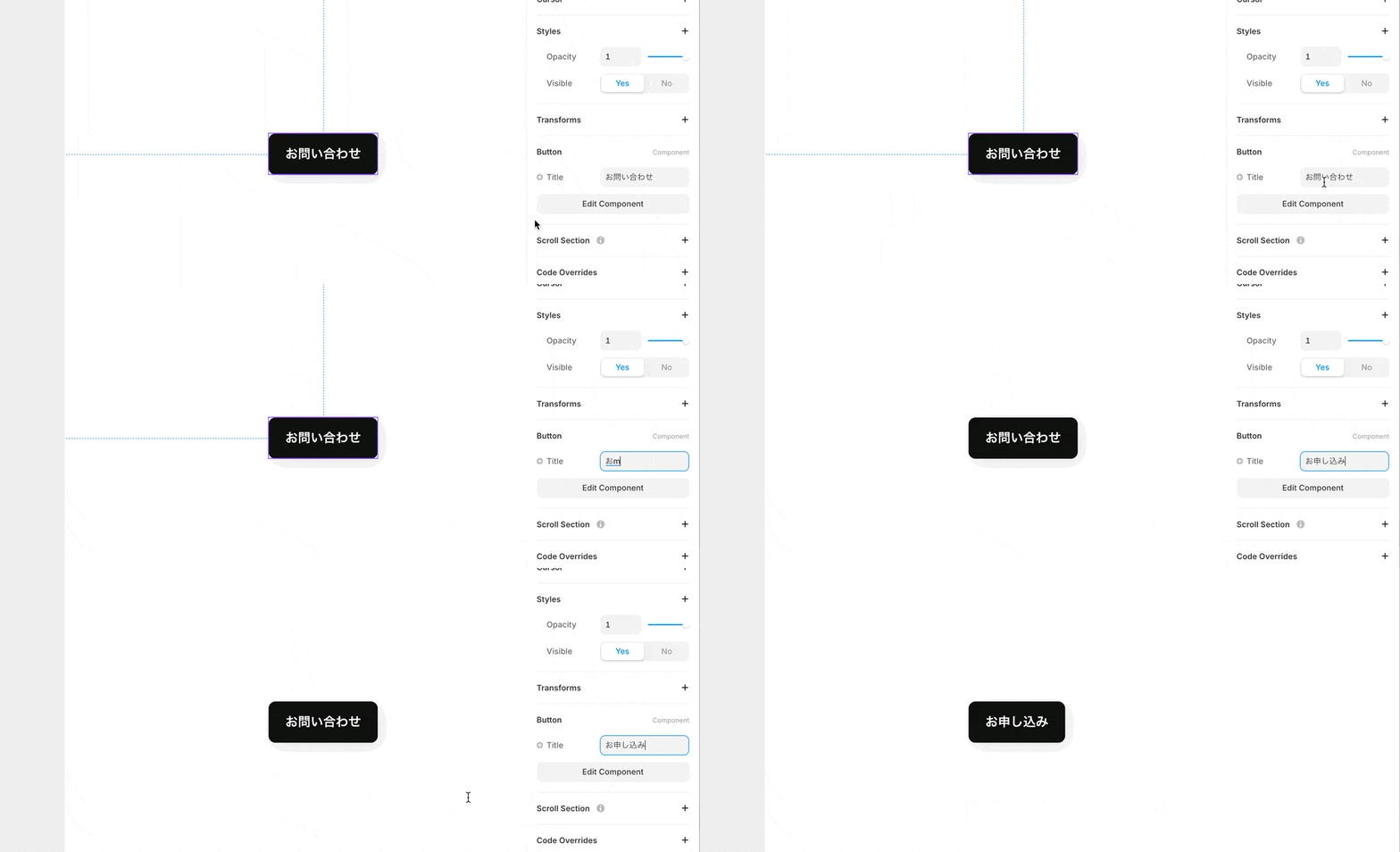
When you return to the regular editing screen and select the component, you will see that the variable called "Title" can be changed.
Managing Variables
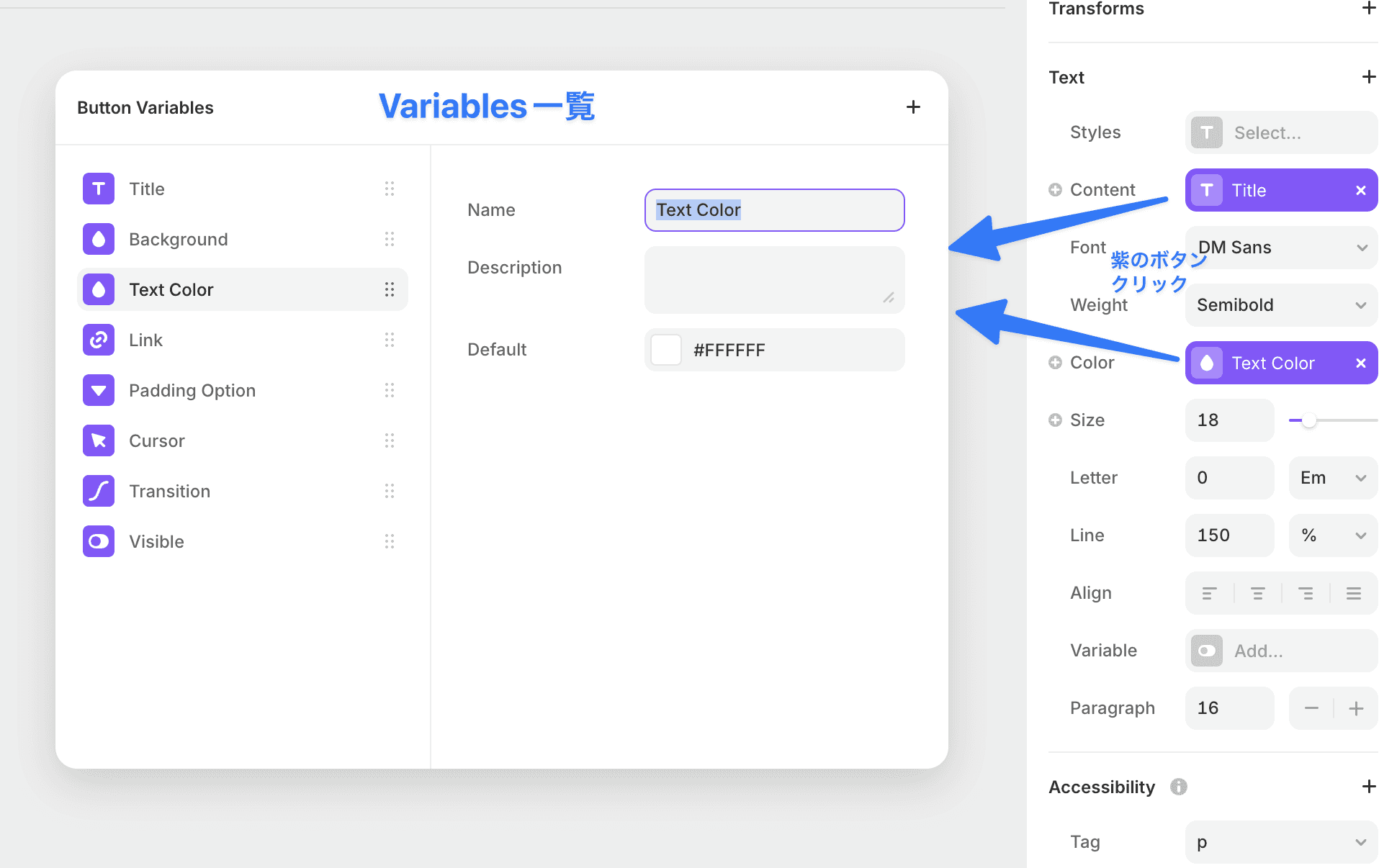
Properties that have Variables set will have a purple button. By clicking it, you can display a list of the Variables used in this component.
You can add Variables, set default values, and more.
Types of Variables
Framer offers the following types of variables:
Plain Text: Regular text
Formatted Text: Formatted text (for paragraphs and long text)
Date: Date
Link: Link URL
Image: Image
Color: Color
Toggle: On/Off switch
Number: Numeric value
Option: Choose one from the options
Event: Event
Transition: Transition
Border: Border
Cursor: Cursor
Shadow: Shadow
Layout Properties Can Also Be Variable
Also, as "Stack Variables," layout properties can be made variable:
Gap: Spacing between elements
Padding: Inner margin
Direction: Placement direction of elements
Distribute: Distribution of elements
Align: Alignment of elements
You can change the shape quite freely, even with the same component.

Utilizing Variables
By utilizing Variables, you can gain the following benefits:
Improved reusability of components
Flexible adjustments while maintaining design consistency
Increased efficiency in team collaboration
Variables are a powerful feature that makes component development in Framer more efficient. Let’s grasp the basics and appropriately utilize them according to the requirements of the project.
←